Mirmire

Your whole retro library, straight from your NAS

Mirmire is a launcher for Android handhelds, phones and TVs. It plays games from your network storage, keeps your saves in sync and sets up RetroArch for you.

Free ยท Android 8.0 or later ยท Works with RetroArch and standalone emulators

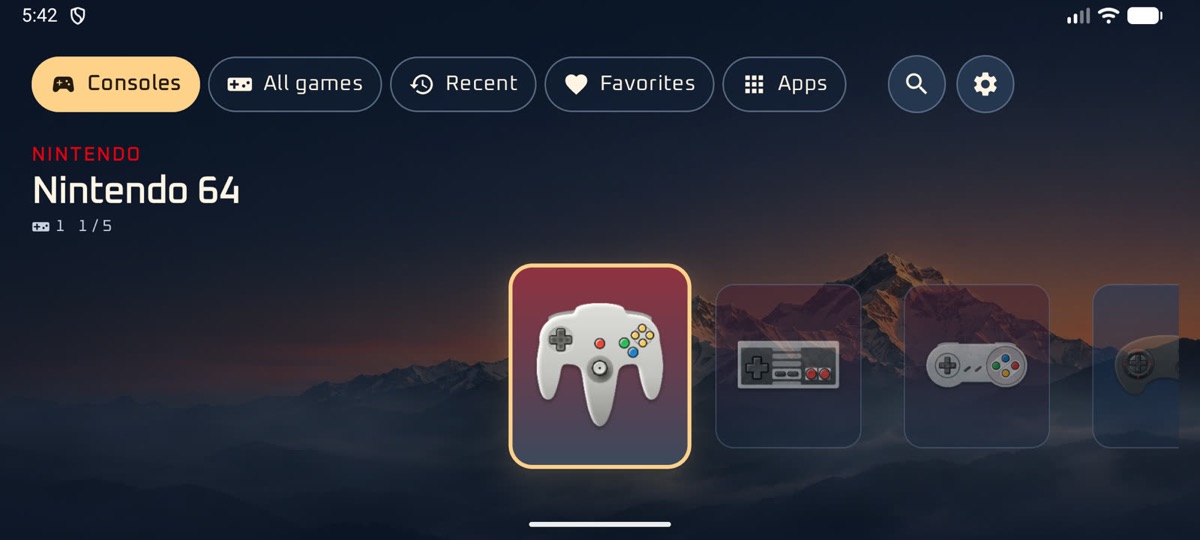
Mirmire's console screen on a handheld, with Nintendo 64 selected
YXBA

What makes it different

Built around the library you already have

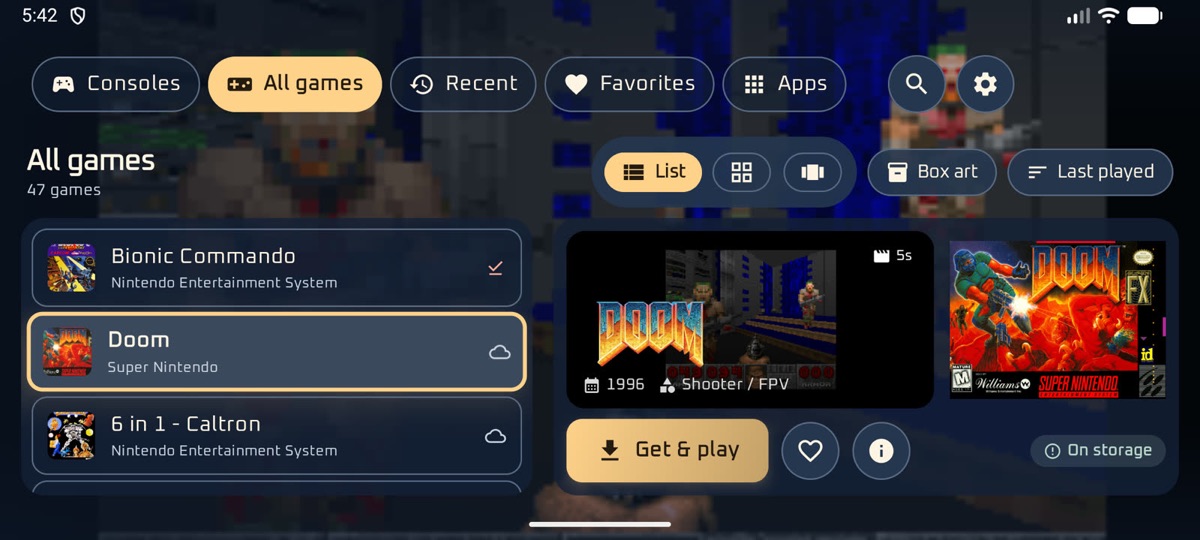
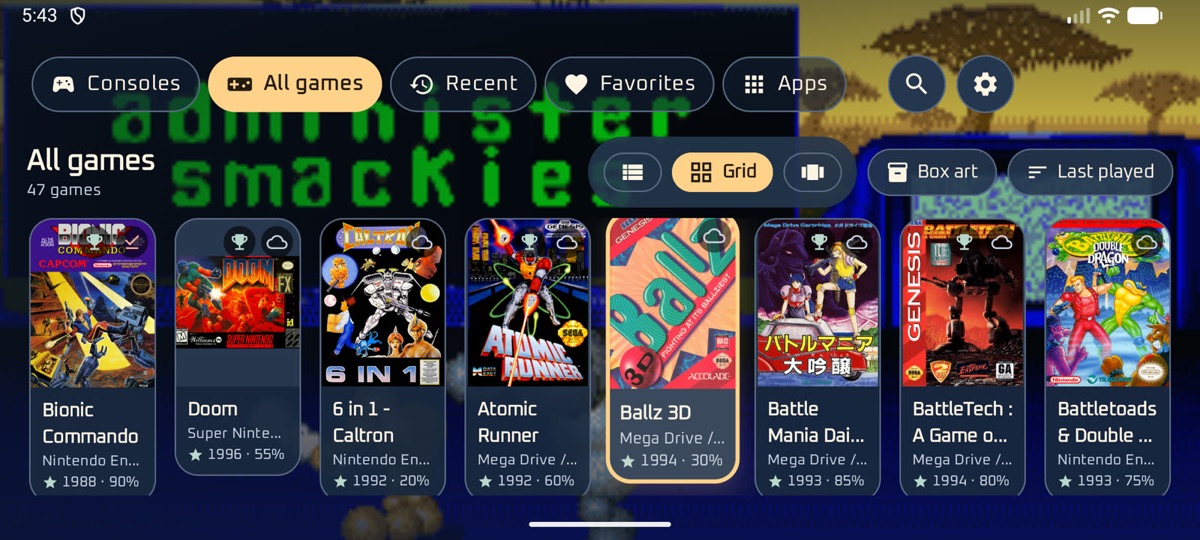
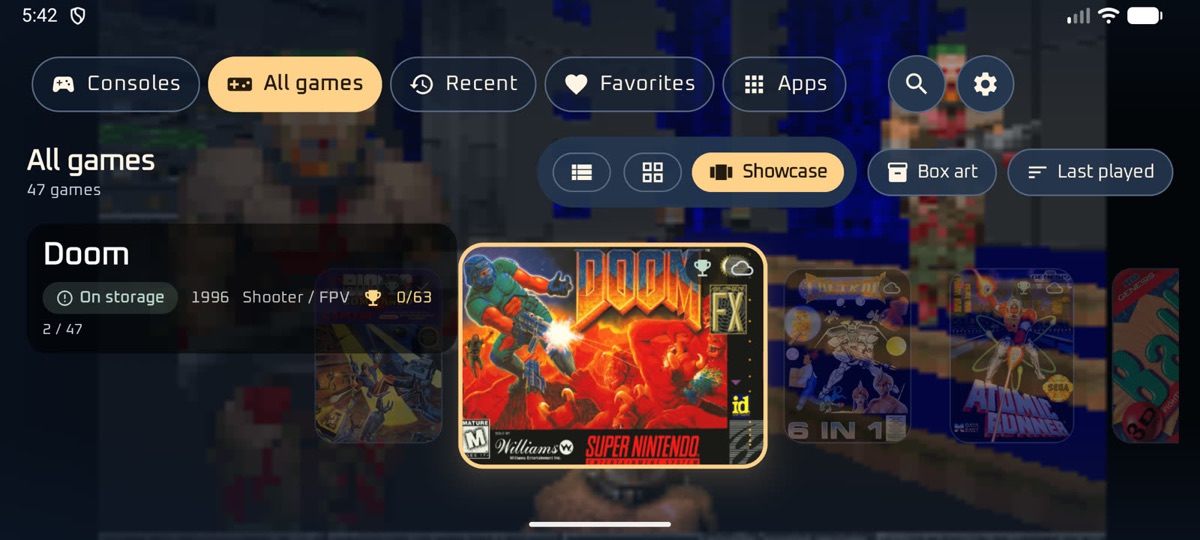
Most launchers expect your games on the device and leave emulators, saves and BIOS files to you. Mirmire is built for a library on your storage, and takes care of the rest.

๐Ÿ“ก

Your NAS is the library

Browse thousands of games over SMB, SFTP, WebDAV or FTP. A game downloads when you press Play, and big unplayed games are cleared to free space.

โ˜๏ธ

Drive & Dropbox via rclone

Add an rclone library and point Mirmire at rclone serve webdav on a PC or NAS โ€” Google Drive, Dropbox, OneDrive and more.

โฌ†๏ธ

Upload local games

Push games from your local download folder up to storage when theyโ€™re missing on the NAS. Files already there are left alone.

๐Ÿ”„

Continue anywhere

Saves and save states sync with your storage. Pick up another device and carry on from the same moment. Devices without shared storage pair over Wi-Fi.

โš™๏ธ

RetroArch, set up for you

Cores, hotkeys, auto-resume and a sharp picture, with settings for all games, one console or one game, and suggestions for your device. SwanStation for PS1; Beetle Saturn when you want accuracy.

๐ŸŽฎ

Standalone defaults that fit

Automatic prefers DuckStation for PS1, Mupen64Plus FZ for N64, WatermelonDS for DS and ARMSX2 for PS2 when those apps are installed.

๐Ÿงน

A clean library

One version of each game by your preferred regions. Betas and demos are hidden, and files are checked against No-Intro.

๐Ÿงฉ

BIOS checker

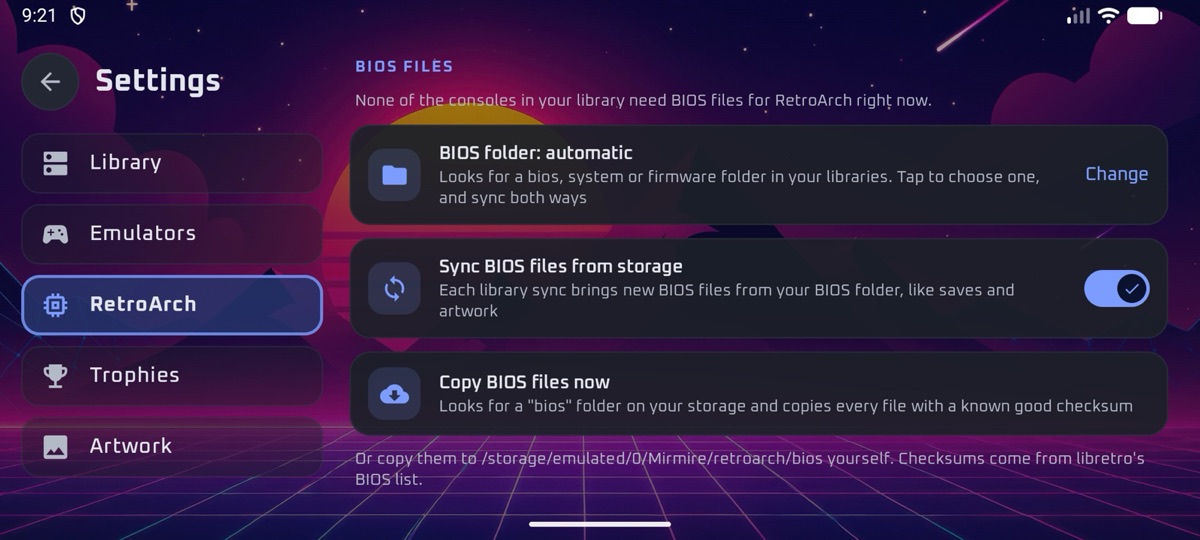
See what each console needs and what's missing or the wrong version, then copy the right files from your storage.

โœˆ๏ธ

Pack for a trip

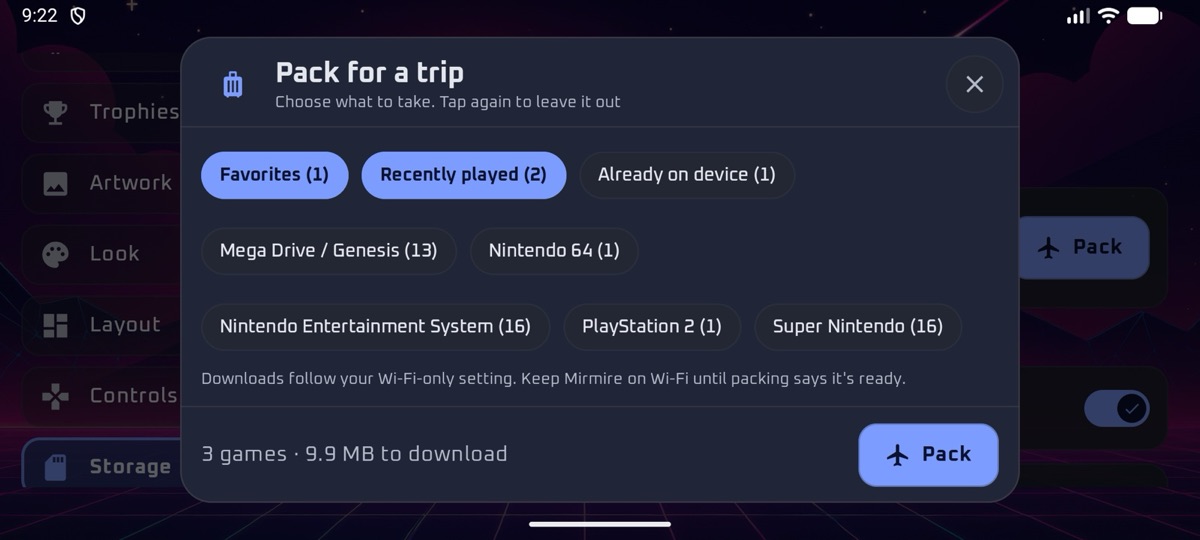
Take games offline and play anywhere. Everything syncs back when you're home, and offloading a game keeps its saves.

๐Ÿ’ก

Stick lights that react

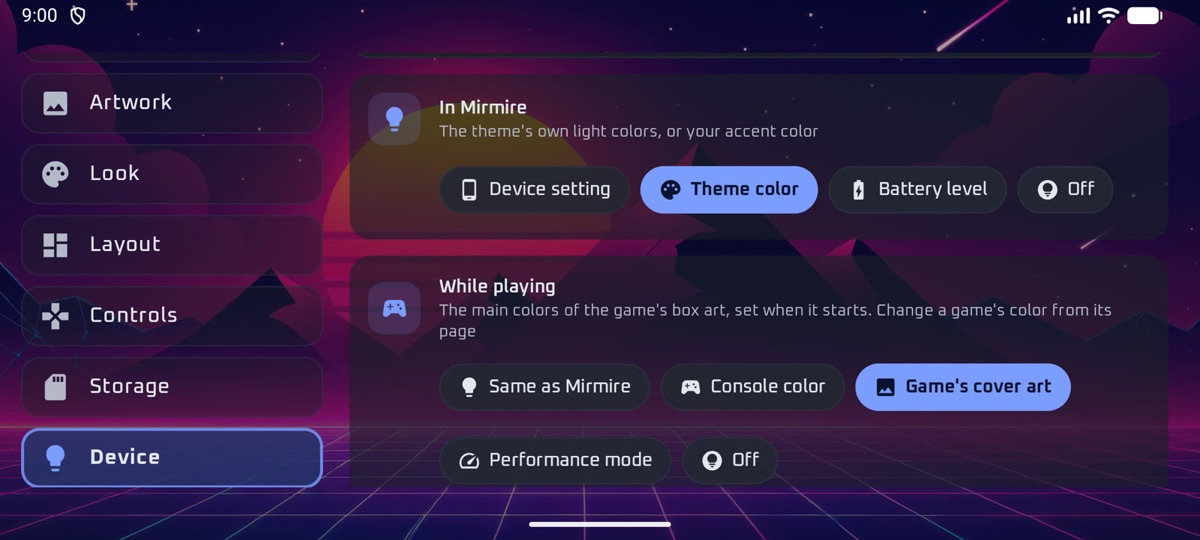
On Retroid and AYN handhelds the lights follow the theme, the battery, the console, the cover art or the performance mode.

๐Ÿ‘จโ€๐Ÿ‘ฉโ€๐Ÿ‘ง

Profiles for the family

Each player has their own saves, favorites and play time, with PINs and a content filter for children.

๐Ÿ’พ

Backups that travel

Back up settings, themes and RetroArch's own settings to your storage, restore on any device, or keep devices in sync.

๐Ÿ—‚๏ธ

Bring what you already have

Artwork ES-DE, RetroArch or LaunchBox already downloaded shows up straight away, and RetroArch's saves, states, settings and BIOS files come over with one tap.

๐ŸŸฉ

Xbox, PlayStation and Steam

Xbox in hakuX, Xbox 360 in Xendroid Plus, PS2 in ARMSX2, PS3 in ARMSX3 or aPS3e, and Steam games from your DroidDeck library. Emulators that aren't on Google Play install from Mirmire in one tap.

๐Ÿš€

Faster GPU drivers

On Snapdragon devices, Mirmire finds your Adreno GPU, suggests the latest custom driver for it and shows how to load it in your emulator.

From the couch to the plane

A home page, a TV mode, and saves that follow you

Things you won't find in other retro launchers: a Home page you build from widgets, a full-screen mode for the TV, both screens of a dual-screen handheld, and saves that move with you.

๐Ÿงฑ

A Home page you build

Clock, weather, calendar, your last game, achievements, play time and music from your storage, plus widgets from your other apps. Drag and resize them by touch, as on a phone, or arrange them with a controller.

๐Ÿงฉ

Pixel Pal & AI

A companion on the Home page from OpenPets: it eats, naps and cheers your achievements. Turn on AI hints for short tips about the game you just played, chat while you play, or float the pal over a game. Set up AI once under Settings โ€บ AI (cloud, your server, or on the device).

๐Ÿ“บ

Big Picture, docked or not

A full-screen home for TVs and controllers, with big cards for consoles and games. Plug into a TV or dock and it switches on by itself; unplug and your layout comes back.

๐ŸชŸ

Two screens, both used

On the AYN Thor, AYANEO Pocket DS or a Retroid Dual Screen add-on, the second screen shows the selected game's art, details, manual and map, or your widgets. Swap them if you like the menu below.

๐Ÿ˜ด

Saves upload when you sleep

Press power in the middle of a game and its saves go to your storage, so your other device offers to continue.

๐ŸŽฎ

Play together

Invite a paired device on the same Wi-Fi to a netplay game. Your device starts hosting by itself; theirs opens the same game.

๐ŸŒก๏ธ

Learns how hot games run

A battery, standard or performance mode for each console, stepping down for games that ran hot. You can turn it off.

๐Ÿ†

RetroAchievements everywhere

Progress on every game card, the weekly challenge, games close to mastery, and your points and streak at a glance.

๐Ÿ–ฅ๏ธ

Your launcher, if you like

Set Mirmire as the home app on a handheld or TV box, with your other apps one press away.

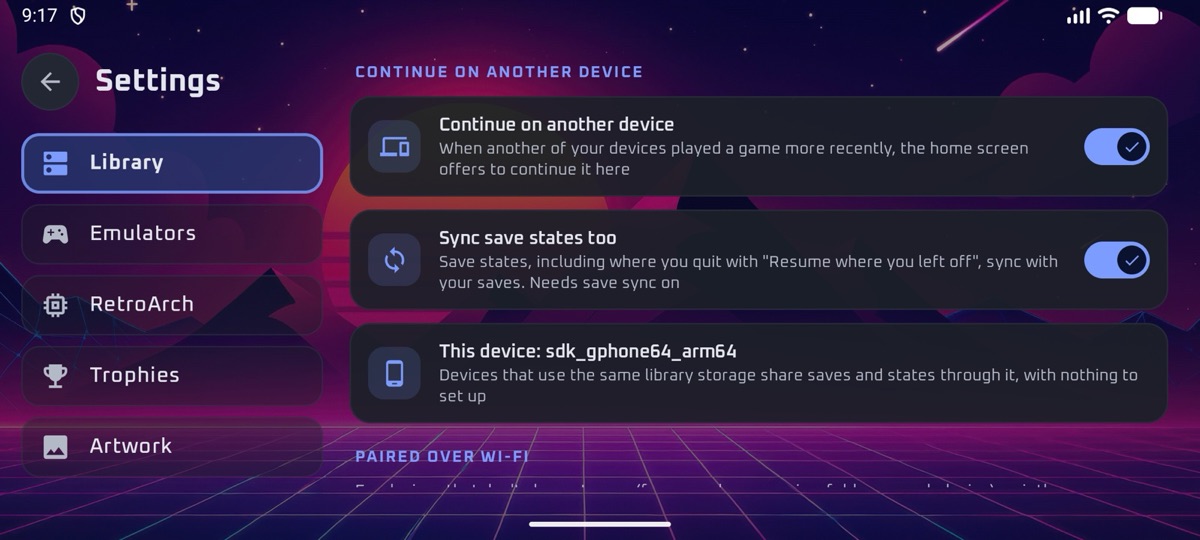
Continue on another device

Start on your phone, finish on your handheld

When another of your devices played a game more recently, the home screen offers to continue it, with that device's save and save state.

  • No account or sign-up
  • Devices sharing storage need no setup
  • Others pair once over Wi-Fi with a 6-digit code
Continue on another device settings

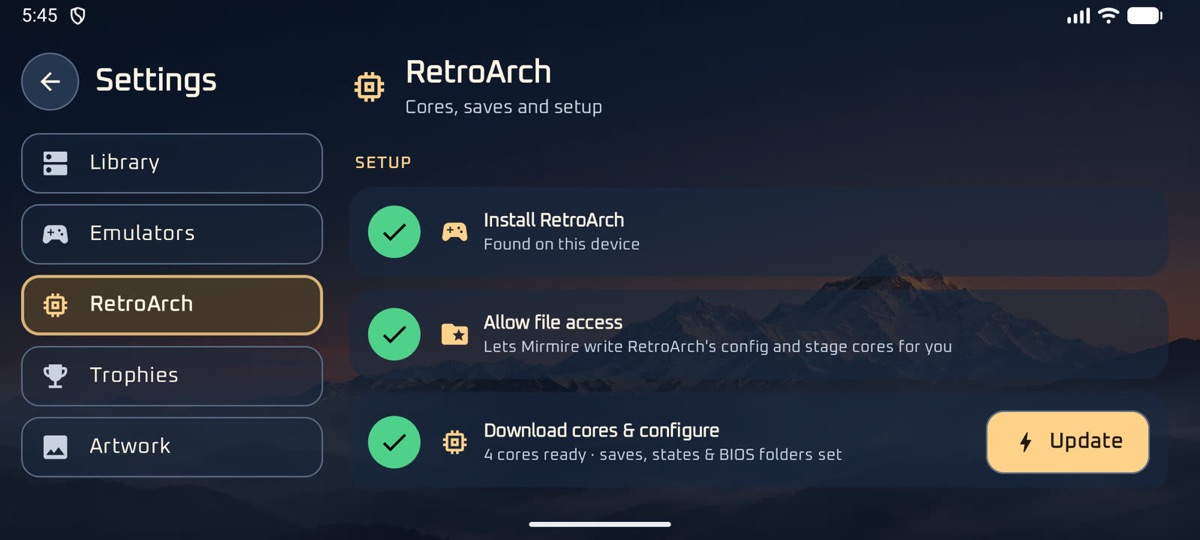
RetroArch

Tuned without opening RetroArch's menus

Pick settings for every game, a whole console or a single game. Mirmire applies them before each launch, and suggests what suits your device.

  • Cores downloaded for you
  • Shaders, hotkeys and auto-resume
  • Your RetroArch settings are included in backups
RetroArch settings in Mirmire

Library cleanup

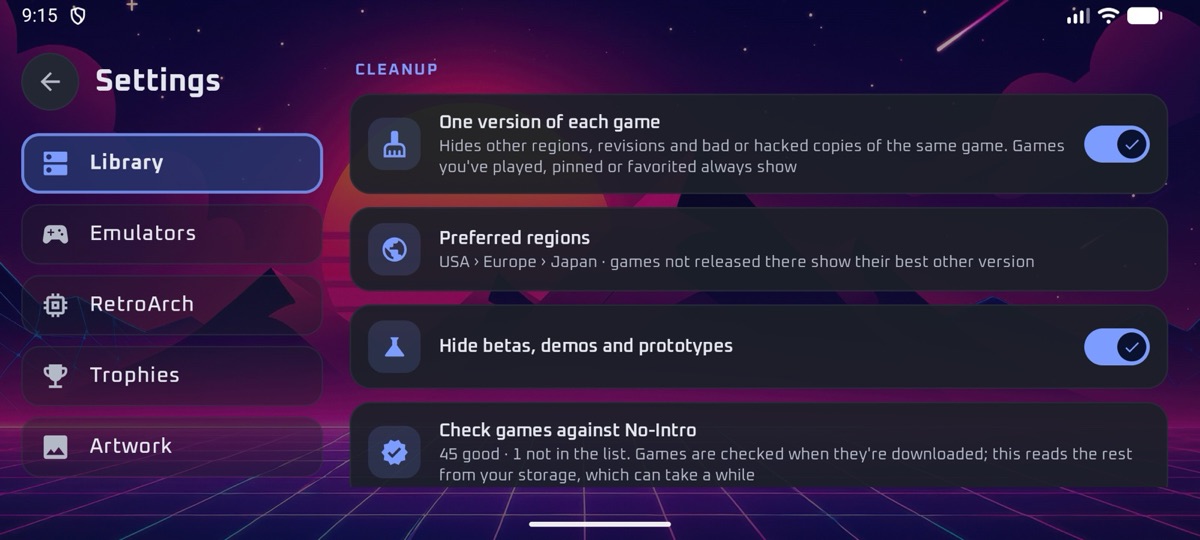
One copy of each game, verified

Big collections often have several versions of every game. Mirmire shows the best one for your regions, hides betas and demos, and checks files against No-Intro.

  • Your region order, with fallbacks
  • Games you've played always stay
  • A filter shows anything that failed the check
Library cleanup settingsBIOS checker

Spotlight

Something to play, every day

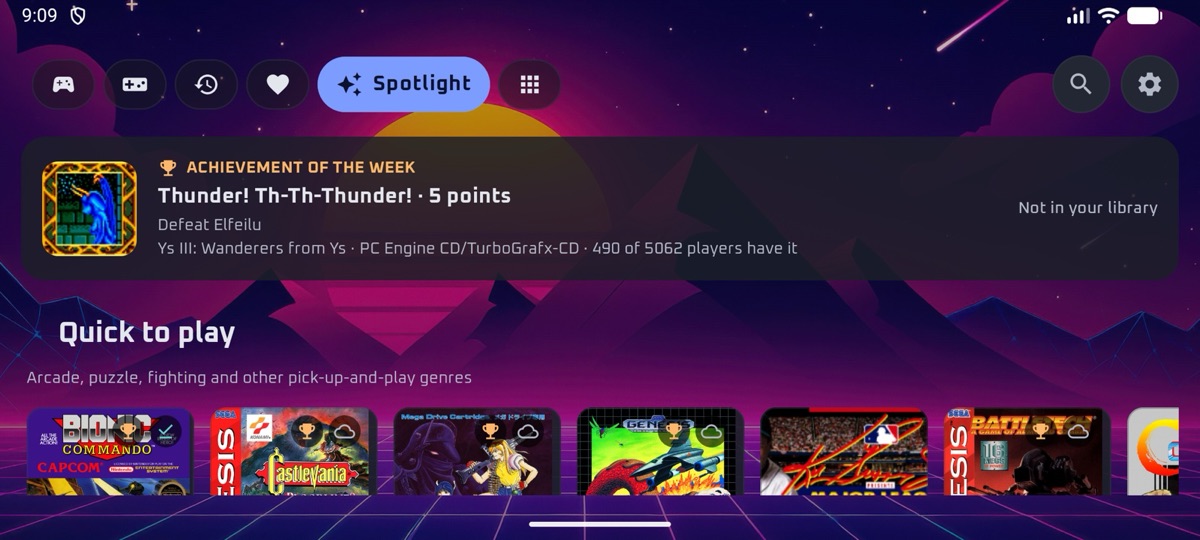
The RetroAchievements weekly challenge, games you're close to mastering, quick and multiplayer picks, and your play time with battery estimates.

Spotlight tab

Home page

A home screen of your own

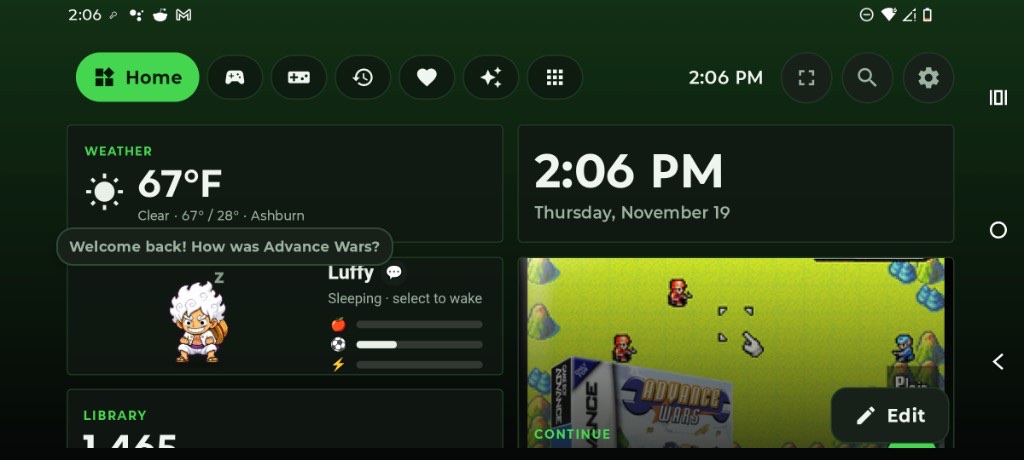
Turn on the Home page and build it from widgets: the clock, weather in ยฐC or ยฐF, your next events, the game you were playing, achievements, Pixel Pal, and widgets from your other apps.

  • Drag and resize by touch, or arrange with a controller
  • Plugins shared as a ZIP, like Pixel Pal
  • Hundreds of pets from OpenPets
Home page with Pixel Pal welcoming you back after a game

Pixel Pal & AI

A companion that knows what you played

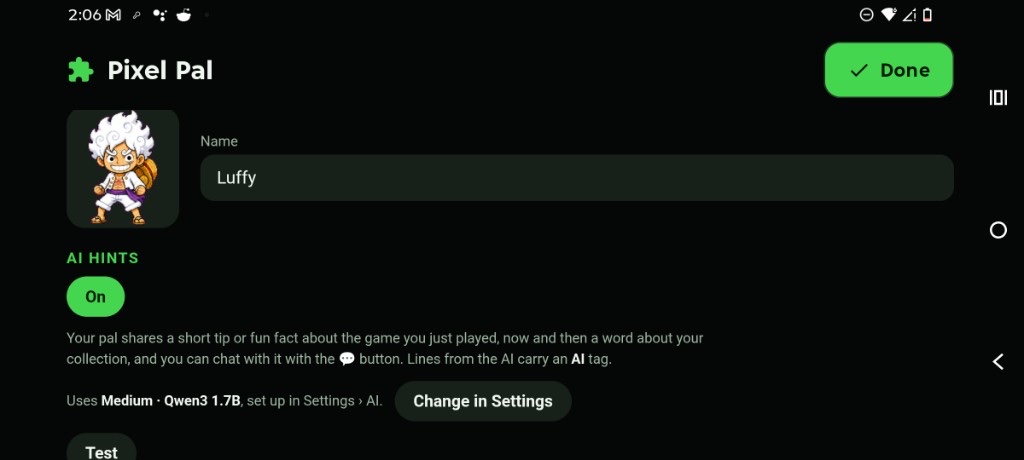
Name your pal, turn on AI hints, and it can share a short tip after a game, chat while you play, or sit as an overlay on one-screen devices. Set up AI once under Settings โ€บ AI.

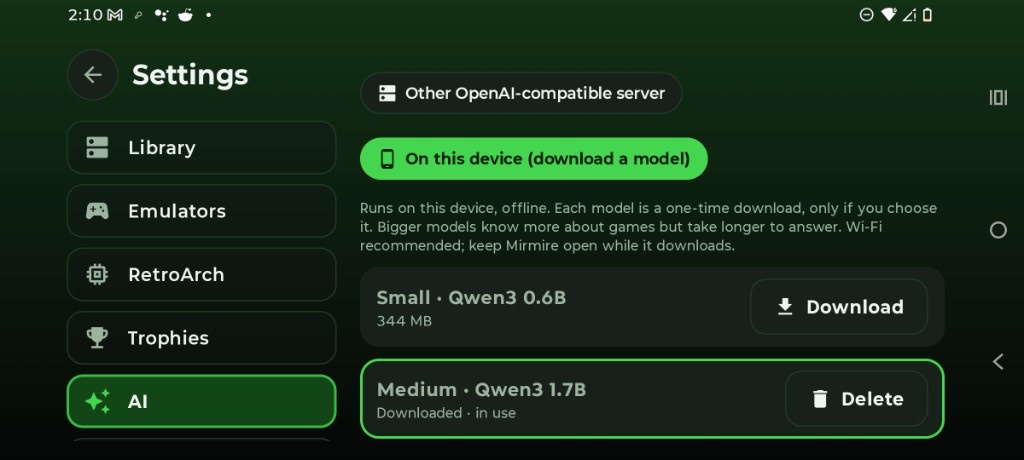
  • Free cloud keys, your own server, or a model on the device
  • AI lines are tagged so you can tell them apart
  • Works offline after an on-device model is downloaded
Settings AI with an on-device model downloadedChatting with Pixel Pal over a running game

In-game overlay

Ask without leaving the game

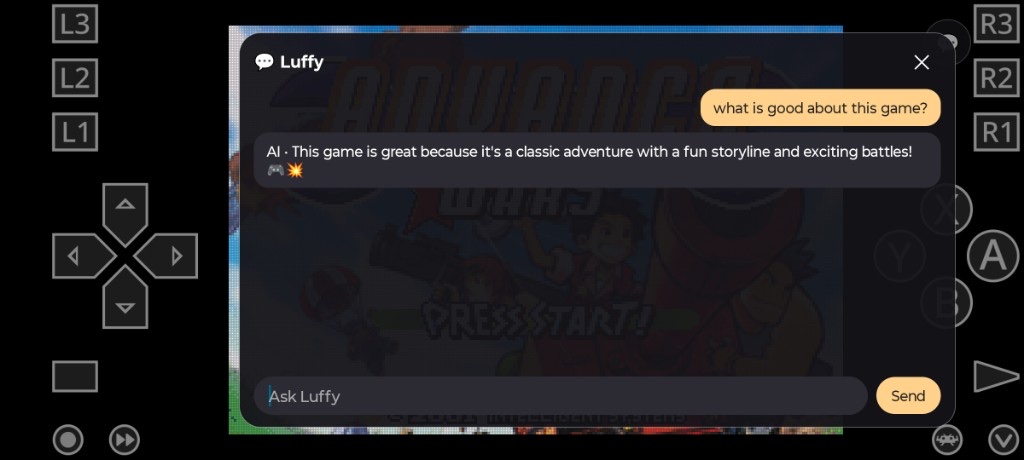
With the overlay permission, Pixel Pal can float over RetroArch. Open chat from the speech bubble, or let it pop up with a welcome after you return to the Home page.

  • Optional stick-click shortcut
  • AI hints toggle in the pal's Widget options
  • On dual-screen devices, keep the pal on the second screen instead
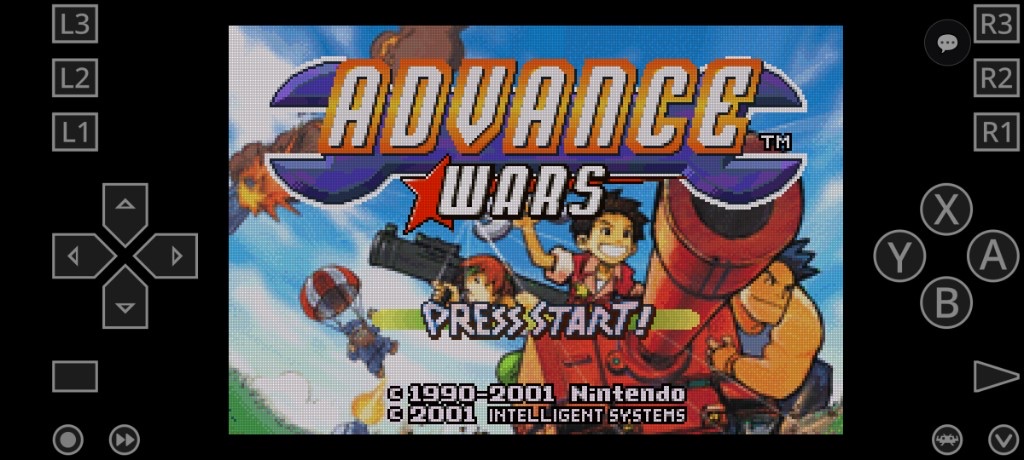
Pixel Pal speech bubble over Advance Wars in RetroArchPixel Pal widget options with AI hints on

Dual screen

Two screens, both put to work

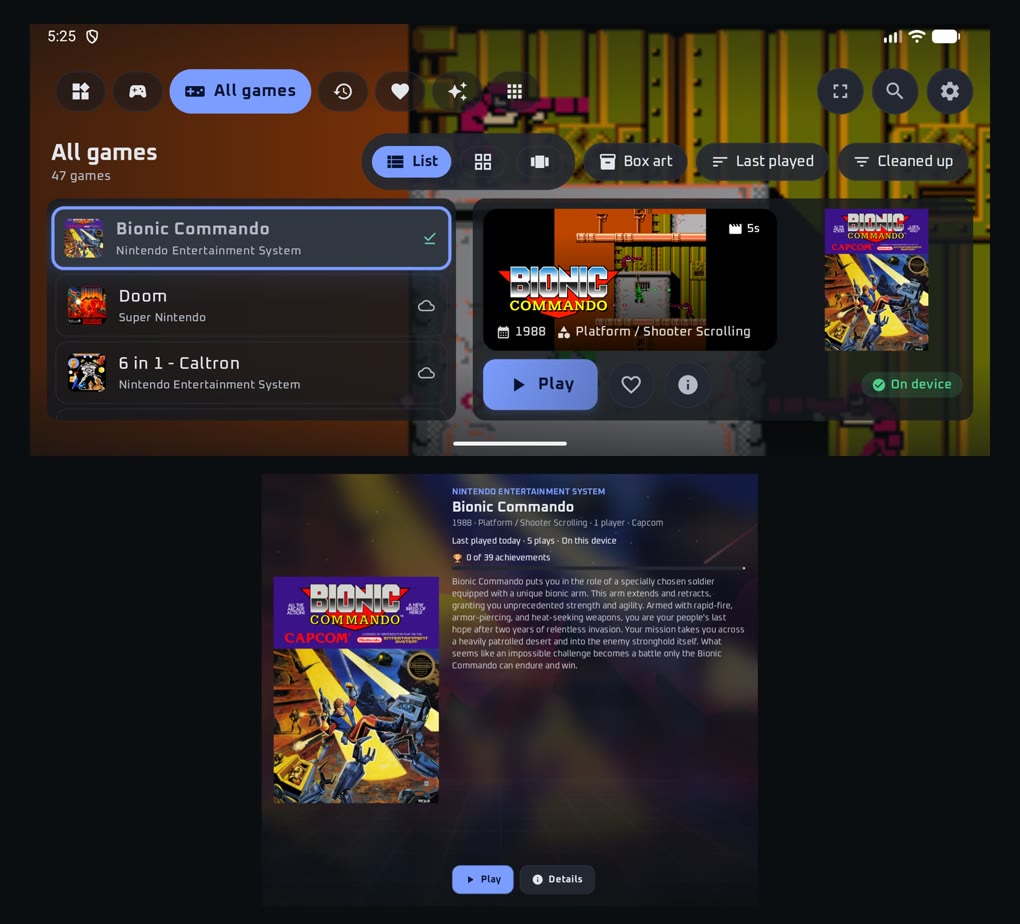
On the AYN Thor, AYANEO Pocket DS or a Retroid with the Dual Screen add-on, the second screen shows the game you've selected: its cover, description and achievements. Or put your widgets there.

  • The controller always works the menu
  • Swap the screens to put the menu below
  • DS and 3DS games get the second screen to themselves
Mirmire on a dual-screen handheld: the games list above and the selected game's details below

Big Picture

Made for the TV

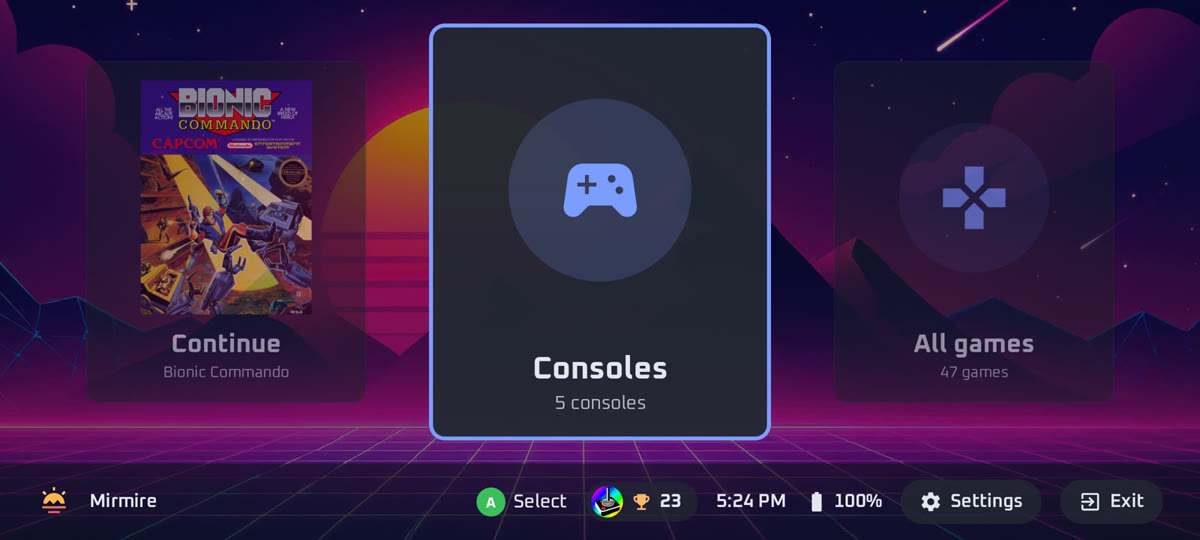
A full-screen home with big cards for your consoles and games, and the time, battery and achievements on a small bar. Plug into a TV or dock and it switches on by itself.

Big Picture with the Consoles card selected

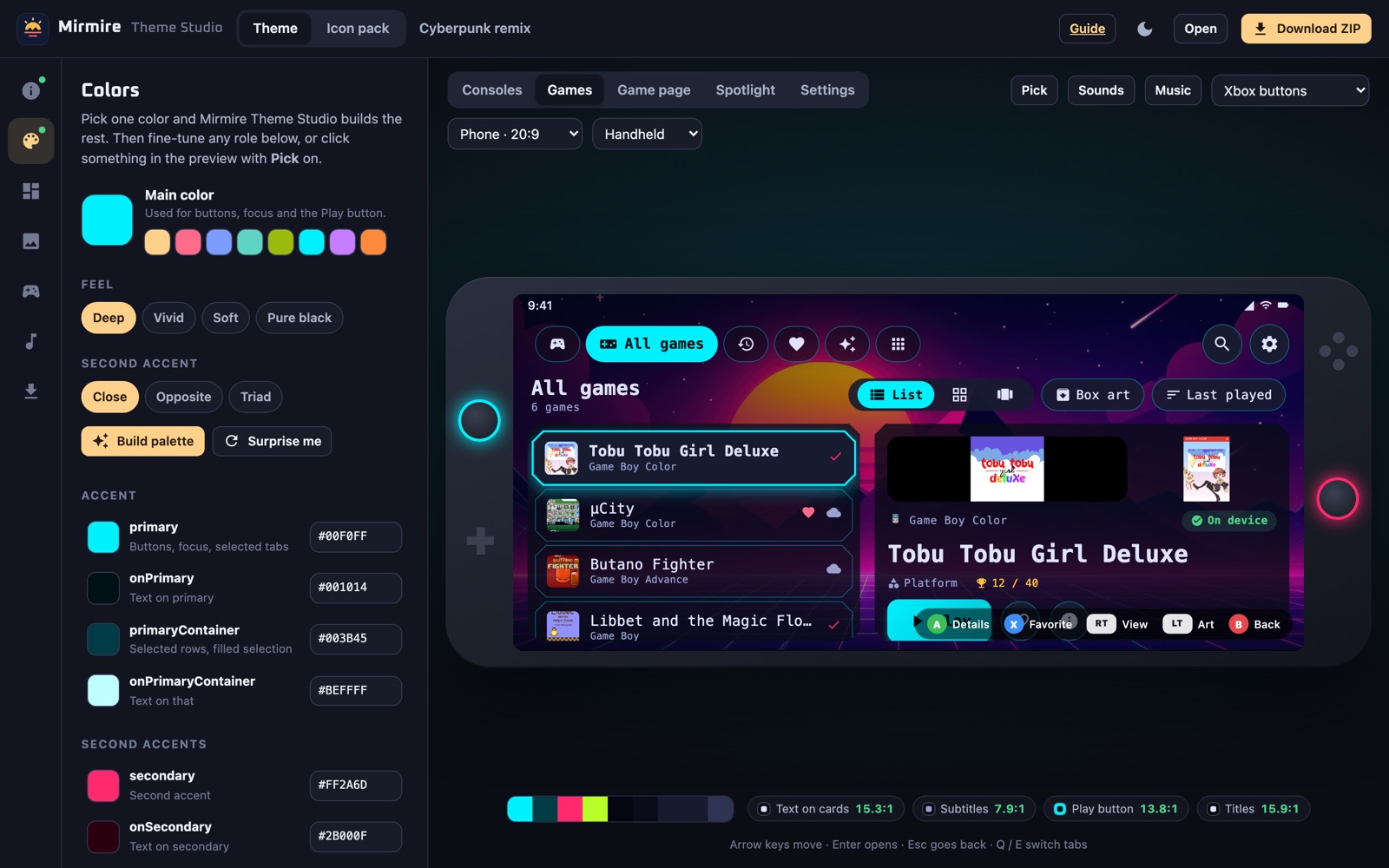
Theme Studio

Design your own look, in your browser

Build a theme, a console icon pack or a Home page widget and see it on Mirmire's real screens as you go. Nothing to install, and nothing you add leaves your browser.

Open Theme Studio โ†’
mirmire-launcher.github.io/mirmire/theme-maker
Theme Studio editing a cyberpunk theme with a live preview
๐Ÿ‘€

Live preview

Home, games list, game page, Spotlight and Settings update as you edit, on a handheld or both screens of a dual-screen one. Move around with the arrow keys and hear your sounds.

๐ŸŽจ

A palette from one color

Pick a color and get a full, readable palette, or start from one of Mirmire's built-in themes.

๐Ÿ“ฆ

Drop in your files

Wallpapers, console icons, backdrops, sounds and music. Sets named for other frontends are sorted automatically.

๐Ÿงฉ

Widget plugins

Start from a template, write a little HTML and JavaScript, and try it on the Home page with sample games and achievements.

Screenshots

Made for controllers, works with touch

Every screen works with a gamepad, keyboard or touch, in landscape or portrait, with Xbox, PlayStation or Nintendo button labels.

Get started

Playing in a few minutes

The setup wizard walks you through everything on first launch.

Install Mirmire

Download the APK from GitHub Releases and open it. Mirmire keeps itself up to date after that.

Add your library

Point it at your NAS, a folder on the device, or rclone for Drive/Dropbox. Artwork and game details load automatically.

Press Play

Mirmire picks an emulator, sets up RetroArch and downloads the game. Your saves sync from then on.

Ready to play?

Free, with no account or ads.